Administration
Workflow Configuration Configure workflow definitions, versions, stages, transitions, assignment rules, approval rules, SLA rules, and notification rules.
The workflow engine is a configurable state machine that controls how business entities (reservations, contracts, complaints, etc.) move through their lifecycle. Every status change goes through the workflow engine, ensuring consistent, auditable, and controllable business processes.
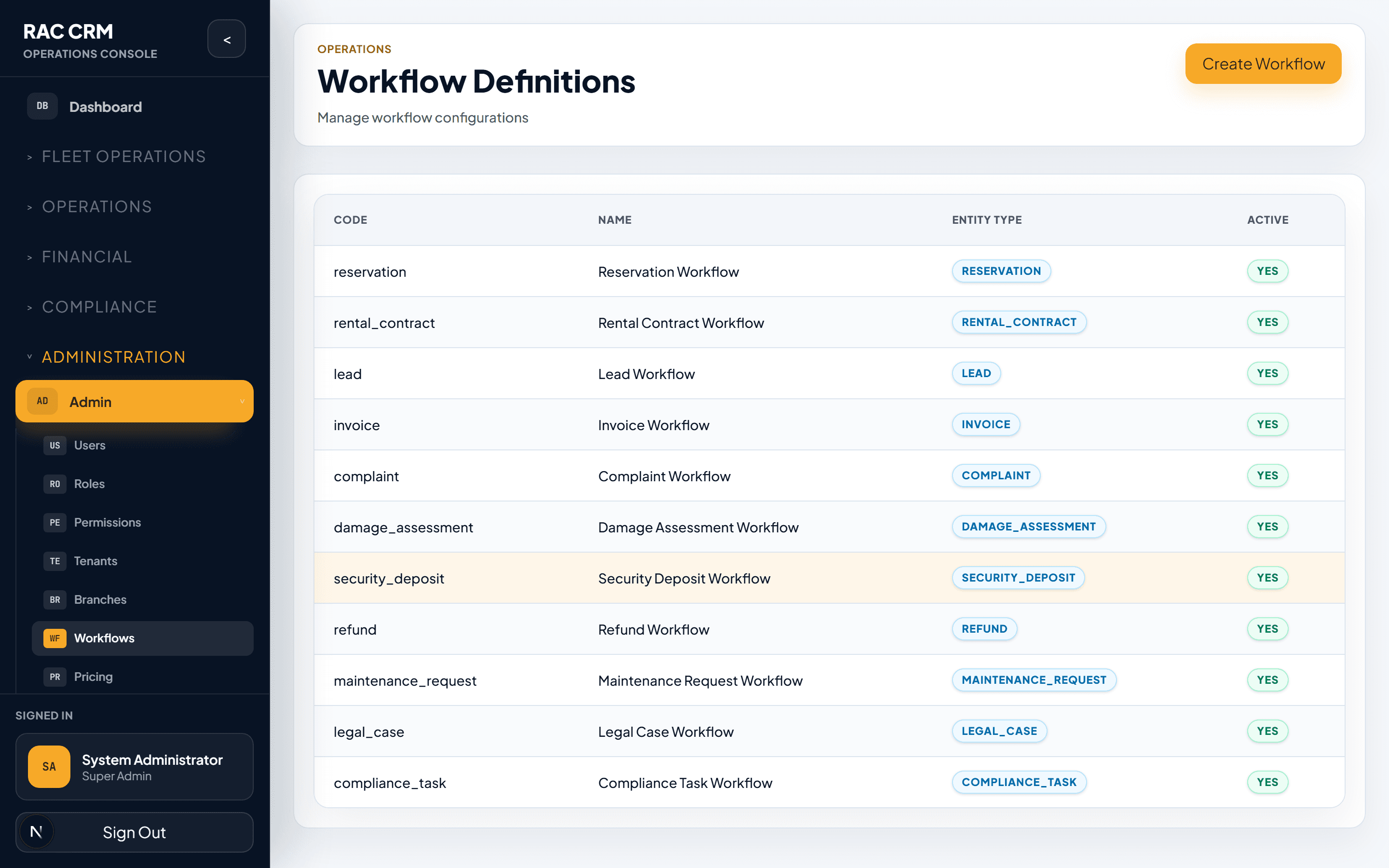
A workflow definition is the blueprint for a specific business process. Each entity type that uses the workflow engine has its own definition.
Definition Entity Type Purpose Reservation Workflow Reservation Controls reservation lifecycle from draft to confirmation or cancellation Rental Contract Workflow RentalContract Controls contract from checkout through active rental to return and closure Complaint Workflow ComplaintCase Controls complaint handling from open to resolution Customer Document Verification CustomerDocument Controls document verification workflow Driver Document Verification DriverDocument Controls driver document verification Refund Workflow Refund Controls refund approval and processing Damage Assessment Workflow VehicleDamage Controls damage assessment and charge lifecycle Maintenance Workflow MaintenanceRequest Controls vehicle maintenance request lifecycle
Field Description Name Display name (e.g., "Rental Contract Workflow") Entity Type The business entity this workflow manages Description Purpose and scope of the workflow Status Active, Draft, Retired Current Version The version currently in use Tenant Which tenant this definition belongs to
Workflow definitions are versioned. When you need to change a workflow, you create a new version rather than modifying the active one.
Status Description Draft Being designed, not yet in use Active Currently in use for new workflow instances Retired No longer used; existing instances may still complete
Action Description Permission Required Create Version Create a new draft version (cloned from active) workflow:configureEdit Version Modify stages, transitions, or rules in a draft workflow:configureActivate Version Set a draft version as active (deactivates previous) workflow:configureDeactivate Version Stop using a version (must have a replacement) workflow:configureClone Version Duplicate an existing version as a new draft workflow:configure
Existing workflow instances always complete using the version they were created with. Changing the active version only affects new instances. This ensures backward compatibility.
Stages represent the status states an entity can be in. Each workflow definition includes a set of stages.
Stage Code Display Name Description draftDraft Contract created, not yet finalized checkout_pendingCheckout Pending Waiting for vehicle checkout process activeActive Vehicle checked out, rental in progress extension_requestedExtension Requested Customer requested contract extension return_pendingReturn Pending Vehicle return process initiated damage_reviewDamage Review Damage assessed, awaiting resolution billing_reviewBilling Review Financial review before closure closedClosed Contract fully completed and closed cancelledCancelled Contract cancelled
Field Description Code Unique identifier (used in transitions) Display Name Human-readable name Description What this stage means Is Initial Whether this is the starting stage Is Terminal Whether this stage ends the workflow SLA Rule Default SLA rule for tasks in this stage Color UI color for status badges
Transitions define how an entity moves from one stage to another. Each transition is triggered by an action.
From Stage Action Code To Stage Required Permission Approval Rule draftsubmitcheckout_pendingcontract:create— checkout_pendingcheckoutactivecontract:checkout— activerequest_extensionextension_requestedcontract:update— activeinitiate_returnreturn_pendingcontract:checkin— extension_requestedapprove_extensionactivecontract:updateextension_approval extension_requestedreject_extensionactivecontract:update— return_pendingcomplete_returnbilling_reviewcontract:checkin— return_pendingflag_damagedamage_reviewcontract:checkin— damage_reviewresolve_damagebilling_reviewdamage:approve_charge— billing_reviewconfirm_billingclosedbilling:approve_entries— draftcancelcancelledcontract:cancel—
Field Description From Stage Current stage required for this transition Action Code Unique code for the action Action Label Display name for the action button To Stage Stage to move to after the action Required Permission Permission needed to execute this action Validation Rule Backend rule code to validate before transition Approval Rule Approval required before transition executes Post-Action Code Function to run after the transition Requires Comment Whether the user must enter a comment Requires Attachment Whether a file upload is required Is Reversible Whether this transition can be undone Sort Order Display order of action buttons
Assignment rules determine who receives tasks created by workflow transitions.
Rule Type Description Example Role-Based Assign to anyone with the specified role "Branch Manager" role at the branch Branch-Based Assign to staff at the originating branch All staff at DXB-Marina Round-Robin Distribute evenly among eligible staff Cycle through available agents Workload-Based Assign to the person with fewest open tasks Least busy team member Specific User Always assign to a designated person The branch manager Creator-Based Assign back to the person who triggered the action The agent who created the reservation
Workflow Trigger Stage Task Type Assignment Rule Reservation pending_confirmationReservation Review Role: Reservations Agent, Branch: origin Contract checkout_pendingPre-Checkout Inspection Role: Fleet Inspector, Branch: origin Contract return_pendingPost-Return Inspection Role: Fleet Inspector, Branch: return Contract damage_reviewDamage Assessment Role: Fleet Manager, Branch: origin Complaint assignedInvestigation Role: Customer Service, Branch: origin Refund pending_approvalRefund Approval Role: Finance Manager
Approval rules gate certain transitions behind an approval step.
Field Description Rule Code Unique identifier Rule Name Display name Approver Role Role required to approve Threshold Amount threshold that triggers approval Auto-Approve Below Amounts below this are auto-approved Timeout Action What happens if approval is not given within SLA
Rule Approver Role Threshold Auto-Approve Below discount_approvalBranch Manager > 10% discount AED 0 refund_approvalFinance Manager > AED 500 AED 500 extension_approvalBranch Manager > 1 day free — deposit_releaseFinance Supervisor Any amount — damage_liabilityFleet Manager > AED 2,000 AED 2,000 writeoff_approvalSenior Finance Manager > AED 1,000 AED 1,000
SLA rules define time-based expectations for tasks created by the workflow.
Field Description Rule Code Unique identifier Task Type The type of task this SLA applies to Warning Threshold Percentage of SLA time before warning (e.g., 50%) Breach Threshold Percentage of SLA time before breach (e.g., 100%) Escalation Action What happens on breach (notify, reassign, escalate) Business Hours Only Whether SLA counts only during business hours
Task Type SLA Duration Warning Breach Action Reservation confirmation 4 hours 75% elapsed Notify Branch Manager Pre-checkout inspection 2 hours 75% elapsed Notify Fleet Supervisor Post-return inspection 4 hours 75% elapsed Notify Fleet Supervisor Damage assessment 24 hours 50% elapsed Escalate to Fleet Manager Complaint first response 4 hours 75% elapsed Notify CS Lead Complaint resolution 48 hours 50% elapsed Escalate to Ops Manager Refund approval 24 hours 75% elapsed Notify Finance Manager Document verification 8 hours 75% elapsed Notify Compliance
Notification rules define what notifications are sent at each workflow event.
Field Description Event The workflow event that triggers the notification Recipient Rule Who receives the notification (role, specific user, task assignee) Channel(s) In-app, email, SMS Template Message template with variable placeholders
Event Typical Recipients Channel Task created Task assignee In-app, email Task assigned New assignee In-app, email Task overdue Assignee + manager In-app, email Task completed Requester / next person in workflow In-app Approval requested Designated approver In-app, email Approval decided Requester In-app, email Workflow stage changed Entity owner In-app SLA warning Task assignee In-app SLA breached Assignee + manager In-app, email, SMS
Practice Why Never edit the active version directly Could break in-progress workflow instances Clone before modifying Creates a safe copy to edit Test in draft before activating Verify transitions work as expected Document version changes Keep a changelog of what changed and why Gradual rollout Activate new version during low-traffic period Keep old version retired (not deleted) Existing instances may still reference it
Action Permission View workflow definitions workflow:readConfigure workflows workflow:configureActivate/deactivate versions workflow:configureClone versions workflow:configureConfigure assignment rules workflow:configureConfigure approval rules workflow:configureConfigure SLA rules workflow:configureConfigure notification rules workflow:configure