Workflow Tasks
Manage your task inbox, track task statuses, perform task actions, monitor SLA compliance, and integrate with workflow-driven processes.
Workflow Tasks
Workflow tasks are the actionable items that drive day-to-day operations in your Rent a Car CRM. Every approval, review, inspection, follow-up, and escalation is tracked as a task — ensuring nothing falls through the cracks and every action is accountable.
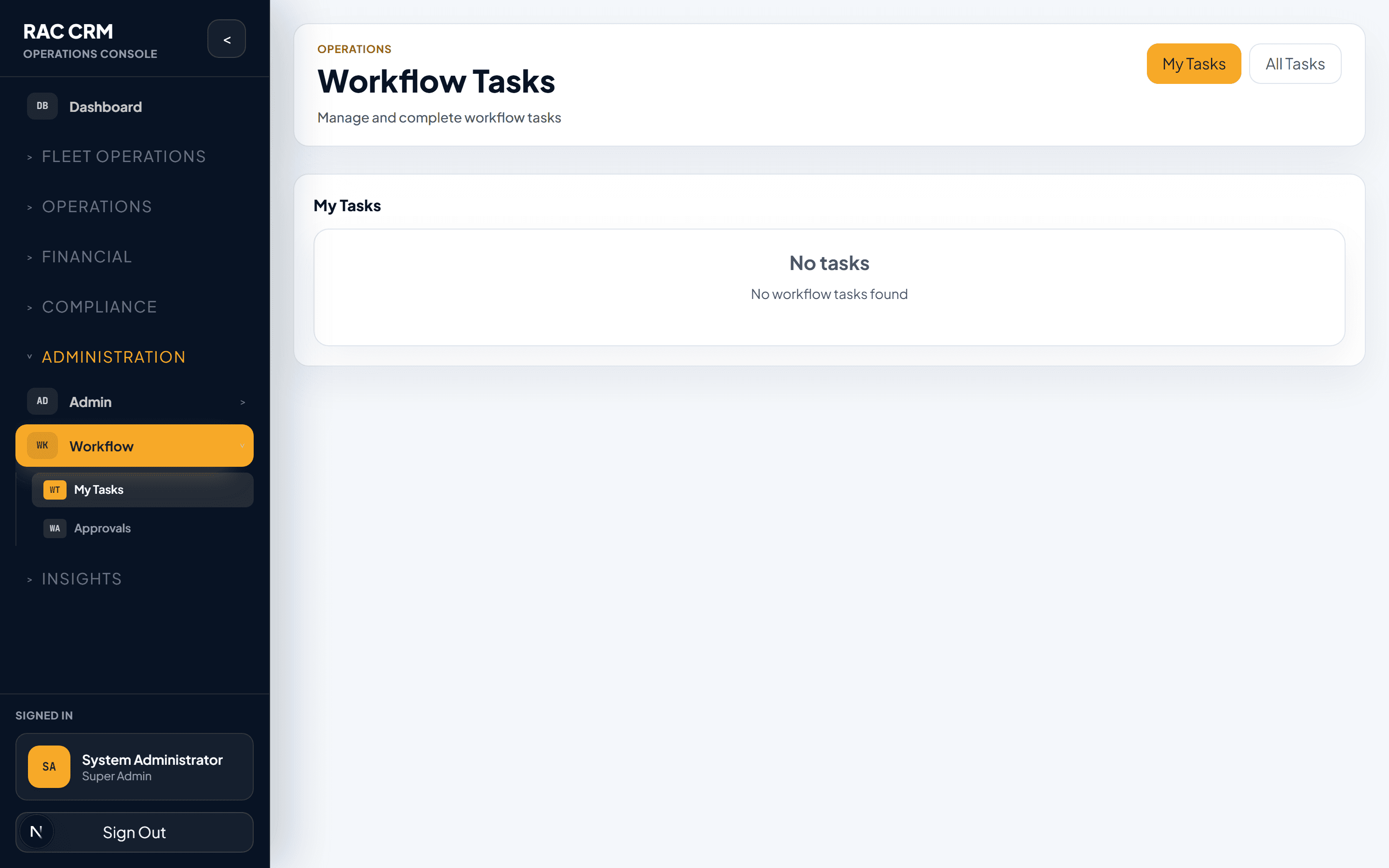
Task Inbox Views
The task inbox is your daily work dashboard. It provides multiple views to help you prioritize and manage your workload.
View Types
| View | What It Shows | Who Uses It |
|---|---|---|
| My Tasks | Tasks assigned directly to you | All staff |
| Team Tasks | Tasks assigned to your role or team | Team leads, supervisors |
| Overdue | Tasks past their SLA due date | Managers, compliance officers |
| Escalated | Tasks escalated due to SLA breach or manual escalation | Managers, department heads |
| Unassigned | Tasks not yet claimed by anyone | Team leads (for distribution) |
| All Tasks | All tasks across the organization (permission-gated) | Senior managers, admins |
Task List Columns
| Column | Description |
|---|---|
| Task Title | Short description of the task |
| Entity Type | What the task relates to (Reservation, Contract, Complaint, etc.) |
| Entity Reference | The document or case number |
| Status | Current task status |
| Priority | Low, Medium, High, Critical |
| Assigned To | Person responsible |
| SLA Due | Deadline based on SLA rules |
| SLA Status | On Track, Warning, Breached |
| Created | When the task was created |
| Branch | Branch context |
Task Statuses
Every task follows a controlled status lifecycle. No status can be skipped.
| Status | Meaning | Who Sets | Next Possible |
|---|---|---|---|
| Open | Task created, not yet claimed | System (auto on workflow transition) | Assigned, Completed (if auto-completable) |
| Assigned | Task assigned to a specific person | System or team lead | In Progress, Cancelled |
| In Progress | Work has begun on the task | Assigned user | Waiting Customer, Waiting Internal, Completed, Escalated |
| Waiting Customer | Task blocked on customer input | Assigned user | In Progress, Completed |
| Waiting Internal | Task blocked on another department | Assigned user | In Progress, Completed |
| Completed | Task finished successfully | Assigned user | Terminal status |
| Cancelled | Task no longer needed | Manager or system | Terminal status |
| Overdue | SLA deadline breached | System (auto) | In Progress, Completed, Escalated |
| Escalated | Escalated to higher authority | User or system (auto) | In Progress, Completed |
Tasks in Waiting Customer or Waiting Internal status are automatically checked for SLA compliance. If the SLA deadline passes while waiting, the task moves to Overdue and an escalation event is triggered.
Task Actions
Each task supports a set of actions depending on its current status and the user's permissions.
Action Reference
| Action | Available From | Permission Required | Result |
|---|---|---|---|
| Claim | Open | workflow:claim_task | Task assigned to current user |
| Start | Assigned | workflow:start_task | Status → In Progress |
| Complete | In Progress, Waiting Customer, Waiting Internal | workflow:complete_task | Status → Completed; workflow may advance |
| Escalate | In Progress, Overdue | workflow:escalate_task | Status → Escalated; notify supervisor |
| Reassign | Assigned, In Progress | workflow:assign_task | Task reassigned to another user |
| Cancel | Open, Assigned, In Progress | workflow:cancel_task | Status → Cancelled |
| Add Comment | Any non-terminal status | workflow:read | Comment attached to task |
| Upload Attachment | Any non-terminal status | workflow:read | File attached to task |
Step-by-Step: Complete a Task
Open the task — Click on the task from your inbox or follow a link from an entity record.
Review context — The task drawer shows the related entity (contract, complaint, etc.), workflow timeline, and any notes from previous actions.
Perform the work — Do whatever the task requires (review a document, inspect a vehicle, call a customer, etc.).
Record outcome — Enter the task result in the completion form. Some tasks require specific fields (e.g., inspection result, approval decision).
Add comments (optional) — Attach notes for the next person in the workflow.
Click "Complete Task" — The system updates the task status, creates a workflow action log entry, and advances the workflow if the task was the last required action in the current stage.
SLA Tracking
Every task has an SLA (Service Level Agreement) deadline based on configurable rules. SLA compliance is tracked and displayed in real time.
SLA Status Indicators
| Indicator | Meaning | Visual |
|---|---|---|
| On Track | More than 50% of SLA time remaining | Green |
| Warning | Less than 50% of SLA time remaining | Amber/Orange |
| Breached | SLA deadline has passed | Red |
| N/A | No SLA configured for this task type | Gray |
SLA Rules by Task Type
| Task Type | Default SLA | Escalation Trigger | Escalation Target |
|---|---|---|---|
| Reservation confirmation | 4 hours | 75% elapsed | Branch Manager |
| Contract checkout review | 2 hours | 75% elapsed | Fleet Supervisor |
| Damage assessment | 24 hours | 50% elapsed | Fleet Manager |
| Complaint initial response | 4 hours | 75% elapsed | Customer Service Lead |
| Complaint resolution | 48 hours | 50% elapsed | Operations Manager |
| Refund approval | 24 hours | 75% elapsed | Finance Manager |
| Document verification | 8 hours | 75% elapsed | Compliance Officer |
| Maintenance approval | 12 hours | 50% elapsed | Workshop Manager |
SLA rules are configurable per tenant. The defaults shown above are starting points — adjust them based on your operational requirements. Navigate to Settings → Workflows → SLA Rules to configure.
Workflow Integration
Tasks are created and managed by the workflow engine. They are not standalone items — they are tied to specific workflow instances and stages.
How Tasks Connect to Workflows
| Workflow Stage | Tasks Created | Purpose |
|---|---|---|
reservation → pending_confirmation | Reservation confirmation task | Staff confirms reservation details |
contract → checkout_pending | Vehicle inspection task, document verification task | Pre-checkout checks |
contract → return_pending | Return inspection task, damage review task | Post-return processing |
contract → damage_review | Damage assessment task, liability decision task | Damage processing |
contract → billing_review | Invoice review task, payment collection task | Financial closure |
complaint → assigned | Investigation task, customer follow-up task | Complaint resolution |
refund → pending_approval | Refund approval task | Manager approval gate |
Task Assignment Rules
Tasks can be assigned via:
| Method | Description |
|---|---|
| Role-based | Task assigned to anyone with the required role |
| Branch-based | Task assigned to staff at the specific branch |
| Round-robin | Tasks distributed evenly among eligible staff |
| Workload-based | Task assigned to the staff member with the fewest open tasks |
| Manual | Team lead manually assigns to a specific person |
Common Tasks Quick Reference
| Task | Typical Assignee | SLA | Workflow |
|---|---|---|---|
| Confirm reservation | Reservations agent | 4 hours | Reservation |
| Pre-checkout inspection | Fleet inspector | 2 hours | Contract |
| Post-return inspection | Fleet inspector | 4 hours | Contract |
| Damage assessment | Fleet manager | 24 hours | Contract |
| Complaint first response | Customer service | 4 hours | Complaint |
| Refund approval | Finance manager | 24 hours | Billing |
| Document verification | Compliance officer | 8 hours | Customer |
| Maintenance approval | Workshop manager | 12 hours | Workshop |
| Legal case review | Legal team | 48 hours | Legal |
Related Pages
- Approvals — The approval subset of workflow tasks
- Workflow Configuration — How to configure task types and SLA rules
- Reports & Dashboards — Task and SLA compliance reports
Audit Logging
Comprehensive audit trail for all system events, including auth, user access, business operations, financial transactions, compliance actions, and workflow changes.
Approvals
Understand approval categories, process approvals from the queue, enforce maker-checker controls, and review the complete audit trail.