Damage Charges
Create damage assessments, determine severity and liability, generate charges, handle disputes, and integrate with billing.
Damage Charges
When a rental vehicle is returned with damage, the Damage Charges module provides a structured workflow for documenting the damage, determining liability, calculating repair costs, billing the customer, and managing disputes. Every decision is recorded and auditable.
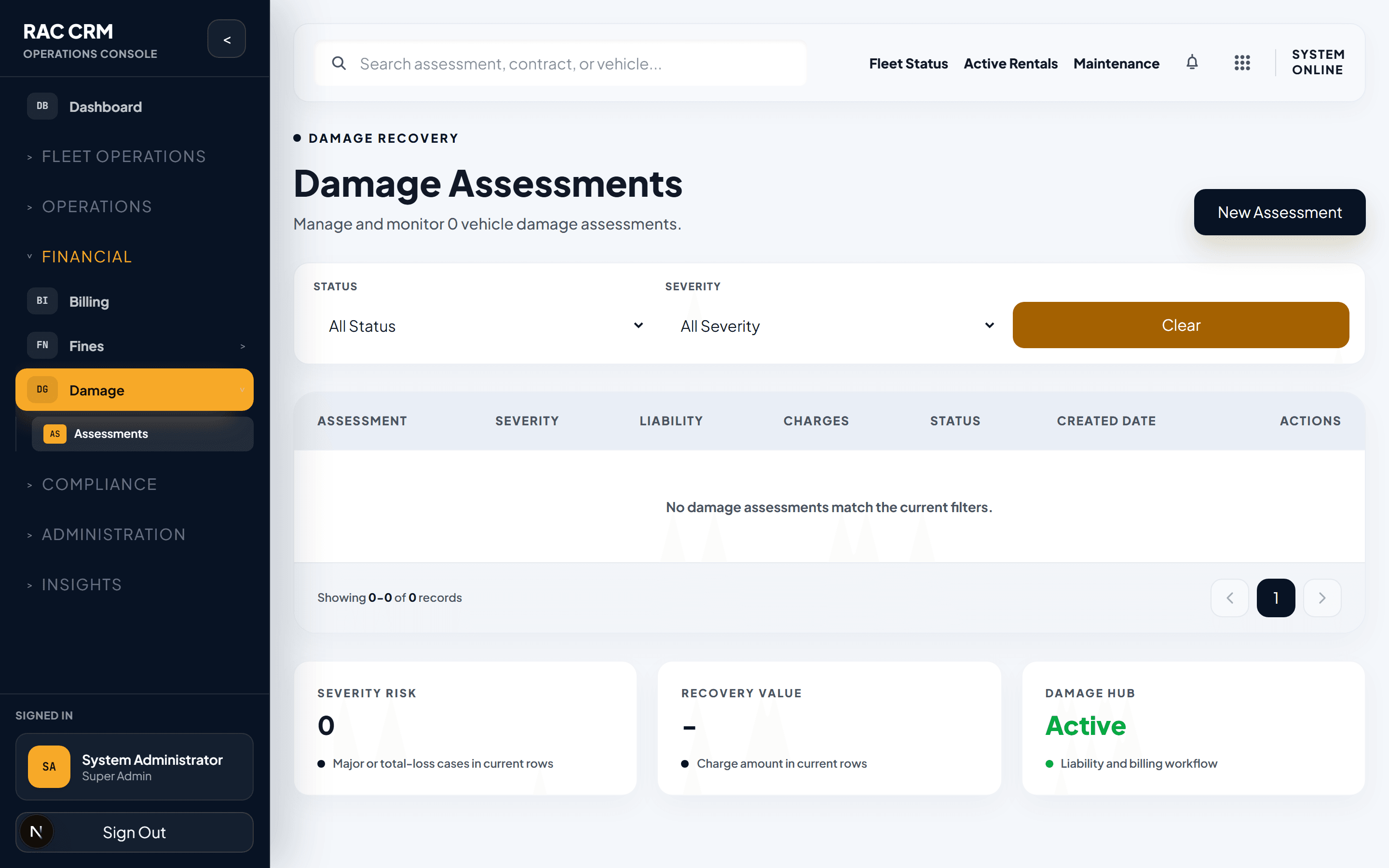
Assessment Creation
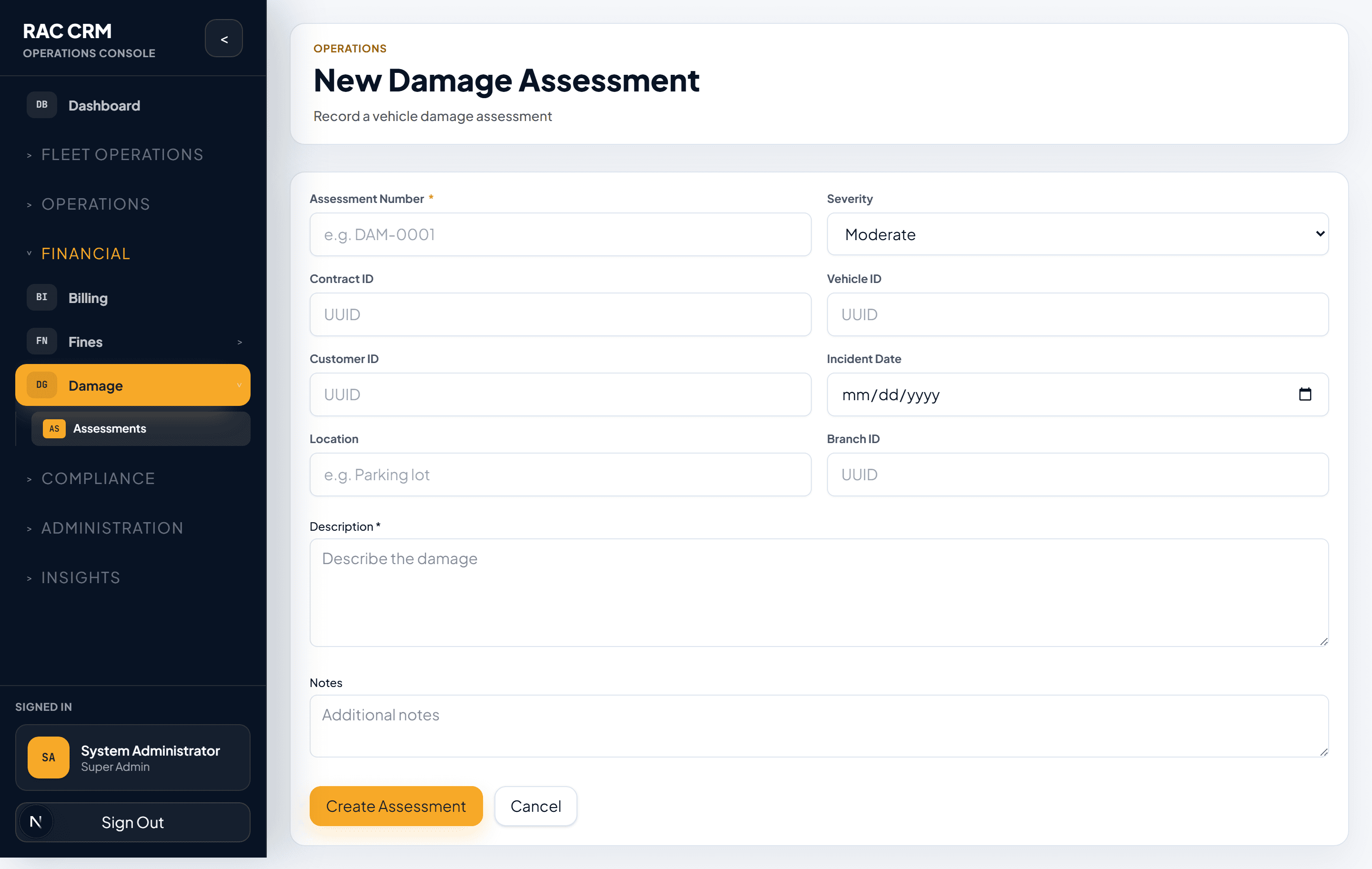
Damage assessments are created during the vehicle return inspection or within a configurable window after return.
When Is an Assessment Created?
| Trigger | Who Creates | Timing |
|---|---|---|
| Return inspection发现damage | Inspector (return agent) | At vehicle check-in |
| Staff发现damage during cleaning | Workshop team | Within hours of return |
| Customer reports damage | Customer service agent | Anytime during grace period |
| Third-party claim received | Compliance team | As received |
The default grace period for creating a damage assessment after return is 7 days. This is configurable per tenant. Assessments created after the grace period require manager approval.
Assessment Form Fields
| Field | Required | Description |
|---|---|---|
| Contract Reference | Yes | The rental contract under which the damage occurred |
| Vehicle Registration | Auto-filled | Vehicle plate number from the contract |
| Customer Name | Auto-filled | Customer from the contract |
| Damage Date | Yes | Date the damage was discovered or occurred |
| Damage Location | Yes | Body panel, interior, glass, mechanical, etc. |
| Damage Description | Yes | Detailed description of the damage |
| Photo Evidence | Yes (minimum 3) | Photos of the damage from multiple angles |
| Pre-existing Damage Reference | No | Link to pre-checkout inspection showing prior damage |
| Estimated Repair Cost | Yes | Workshop estimate or assessor's estimate |
| Severity Level | Auto-calculated | Based on estimated cost and damage type |
| Liability Decision | Yes | Customer, Company, Third-party, or Under Dispute |
Severity Levels
Severity determines the urgency of the assessment, the billing approach, and whether the deposit is impacted.
| Level | Estimated Cost Range | Billing Impact | Deposit Impact |
|---|---|---|---|
| Minor | AED 0 – 500 | Billed to customer or deducted from deposit | Deposit may be partially forfeited |
| Moderate | AED 501 – 2,000 | Billed to customer; may involve insurance | Deposit partially forfeited; insurance claim possible |
| Severe | AED 2,001 – 10,000 | Insurance claim + customer excess | Full deposit forfeited; excess charged |
| Critical | AED 10,001+ | Full insurance claim; vehicle may be written off | Full deposit forfeited; total loss process initiated |
Severity Auto-Calculation Rules
| Rule | Description |
|---|---|
| Cost-based | Severity escalates as estimated cost increases |
| Component-based | Glass, mechanical, and structural damage auto-escalates by one level |
| Repeat damage | If the customer has prior damage history, severity escalates by one level |
| Under-insurance | If the vehicle's insurance excess exceeds the repair cost, severity stays at the assessed level |
Liability Decisions
Liability determines who pays for the damage. Every liability decision is recorded with reasoning and evidence.
| Liability | Who Pays | Typical Scenario |
|---|---|---|
| Customer | Rental customer | Damage beyond normal wear and tear; at-fault accident |
| Company | Rental company (absorbed) | Normal wear and tear; company negligence; vehicle defect |
| Third-party | External party (their insurance) | Another driver at fault; hit-and-run with police report |
| Under Dispute | Pending resolution | Liability contested by customer or third-party |
Liability Decision Process
Review inspection evidence — Compare pre-checkout and post-return inspection reports.
Check photo evidence — Review all uploaded photos and damage location maps.
Review contract terms — Check the customer's insurance coverage and excess amount.
Assess fault — Based on damage pattern, location, and available evidence.
Record decision — Select the liability party and enter reasoning.
Submit for review — Liability decisions above the configured threshold require manager approval.
Liability decisions involving third-party insurance or amounts above AED 5,000 require approval from the fleet manager before charges are created.
Charge Creation
Once liability is determined as Customer, a damage charge is created and added to the customer's invoice.
Charge Components
| Component | Description | Example |
|---|---|---|
| Repair estimate | Workshop or assessor's estimated repair cost | AED 1,200 |
| Admin fee | Configurable processing fee | AED 75 |
| Towing fee | If vehicle required towing | AED 150 |
| Loss of use | Revenue lost while vehicle is off-road (configurable) | AED 300/day × 3 days = AED 900 |
| Depreciation adjustment | For severe damage affecting resale value | AED 500 (if applicable) |
Charge Status Lifecycle
| Status | Description |
|---|---|
| Pending | Charge created, awaiting liability confirmation |
| Approved | Liability confirmed, charge finalized |
| Billed | Added to customer invoice |
| Disputed | Customer disputes the charge |
| Reduced | Charge amount reduced after review |
| Waived | Charge waived (company absorbs) |
| Collected | Payment received from customer |
Dispute Cases
Customers may dispute damage charges. The system provides a structured dispute resolution workflow.
Dispute Process
Customer initiates dispute — Via phone, email, or in-person at a branch.
Create dispute case — Navigate to Damage → Disputes → New Case. Link to the original assessment.
Gather evidence — Collect additional photos, customer statements, third-party reports, or mechanic assessments.
Review by manager — The fleet manager reviews all evidence and makes a decision.
Resolution — One of: Upheld (charge stands), Reduced (amount adjusted), or Overturned (charge waived).
Dispute Resolution Outcomes
| Outcome | Action | Accounting Impact |
|---|---|---|
| Upheld | Original charge stands | No change |
| Reduced | Amount reduced | Credit note for the difference |
| Overturned | Charge fully waived | Credit note for full amount; deposit release if applicable |
Billing Integration
Damage charges flow into the invoicing and accounting modules automatically.
| Stage | System Action |
|---|---|
| Assessment created | No financial impact yet |
Liability determined as Customer | Charge created in Pending status |
| Charge approved | damage_charge_approved accounting event generated |
| Charge billed | Line item added to customer's invoice |
| Customer pays | payment_received accounting event generated |
| Dispute resolved (overturned) | credit_note_issued accounting event generated |
Deposit Interaction
| Scenario | Deposit Action |
|---|---|
| Damage detected, customer liable | Partial or full deposit forfeiture |
| Damage disputed | Deposit held until dispute resolution |
| Dispute upheld (customer wins) | Forfeited deposit amount refunded |
| Damage waived (company absorbs) | Full deposit released |
Common Tasks
| Task | Where | Permission Required |
|---|---|---|
| Create damage assessment | Return inspection or Damage → New | damage:create_assessment |
| Upload photo evidence | Assessment detail → Photos | damage:upload_evidence |
| Set liability decision | Assessment detail → Liability | damage:set_liability |
| Approve damage charge | Charge detail → Approve | damage:approve_charge |
| Create dispute case | Damage → Disputes → New | damage:create_dispute |
| Resolve dispute | Dispute detail → Resolve | damage:resolve_dispute |
| Waive damage charge | Charge detail → Waive | damage:waive_charge |
| View damage history | Vehicle detail → Damage History | damage:read |
Related Pages
- Invoicing & Billing — How damage charges appear on invoices
- Accounting Subledger — Damage accounting events
- Fleet & Vehicles — Vehicle damage history and condition tracking
- Workshop & Maintenance — Repair job creation from damage assessments
Traffic Fines & Salik
Record traffic fines and Salik toll charges, match them to contracts, bill customers, track payments, and reconcile with authorities.
Complaint Management
Full complaint lifecycle from creation through resolution, including assignment, escalation, legal escalation, SLA tracking, and ownership history.