Complaint Management
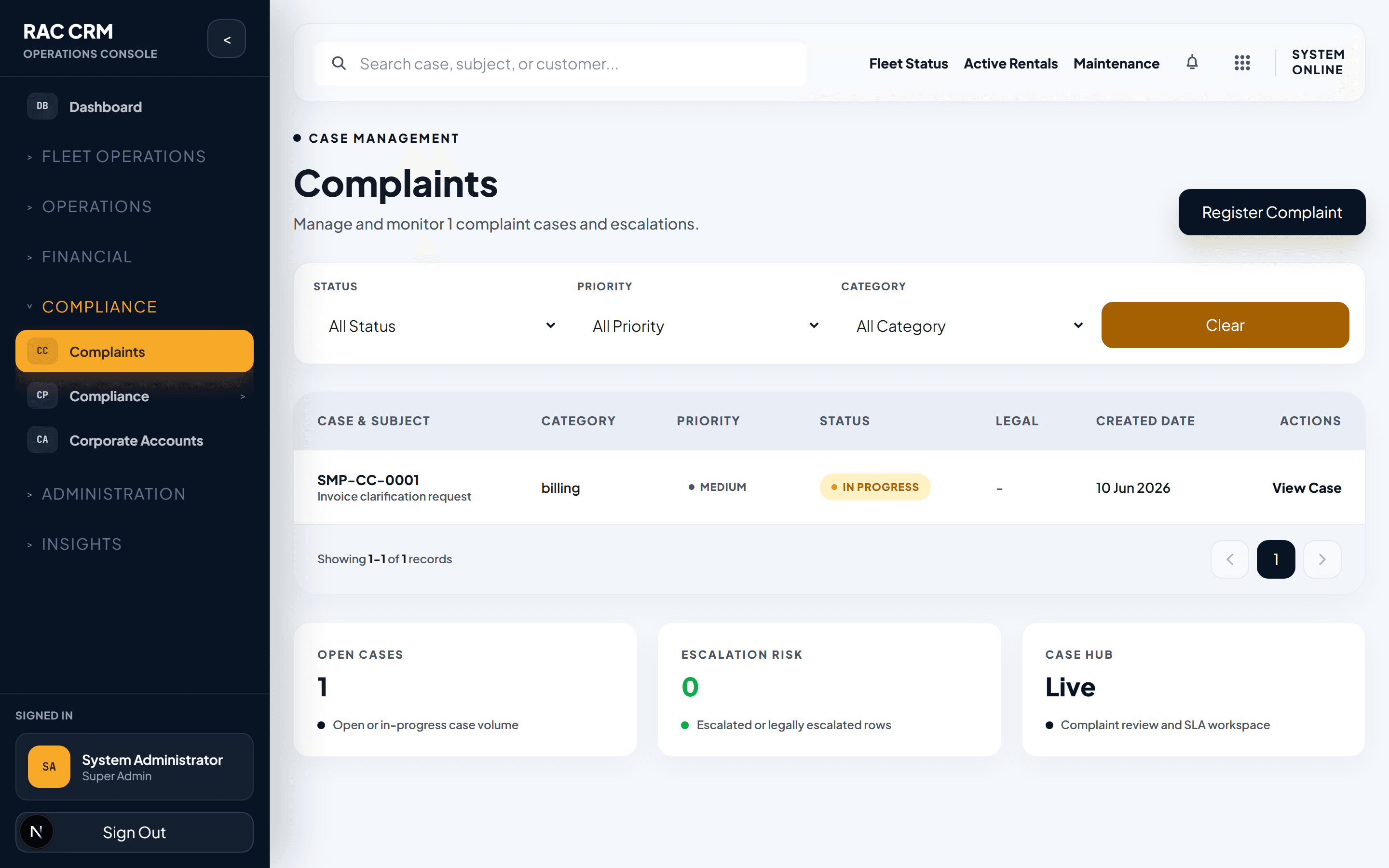
Full complaint lifecycle from creation through resolution, including assignment, escalation, legal escalation, SLA tracking, and ownership history.
Overview
Complaint management is a critical compliance and customer satisfaction function. Every customer complaint — whether about vehicle condition, billing, service, or safety — must be tracked through a structured lifecycle with clear ownership, SLA deadlines, and audit trails. Complaints that involve legal risk are escalated to the Legal module with a full record lock.
Complaint Statuses
Every complaint moves through these statuses. No status can be skipped — each transition is logged with a timestamp, actor, and optional note.
| Status | Meaning | Who Sets It |
|---|---|---|
open | Complaint received, not yet assigned | System (on creation) |
assigned | Assigned to a staff member or department | Branch manager / Complaint coordinator |
in_progress | Staff actively investigating or resolving | Assigned staff |
waiting_customer | Awaiting customer response or information | Assigned staff |
waiting_internal_department | Transferred to another department (e.g., billing, fleet) | Assigned staff |
escalated | Escalated to management due to SLA breach or severity | System (auto) or manager |
legally_escalated | Legal risk identified — transferred to Legal module | Compliance officer or Legal |
resolved | Resolution communicated and accepted by customer | Assigned staff |
closed | Complaint finalized, no further action needed | System (after resolution + grace period) |
Complaint Creation
Complaints can be created from multiple channels:
| Channel | How It's Created |
|---|---|
| Customer portal | Customer submits form with category, description, and attachments |
| Phone call | Branch staff creates complaint on behalf of customer |
| System parses email into complaint ticket | |
| Walk-in | Branch staff creates complaint in person |
| Social media | Customer service team logs as complaint |
| Internal | Staff member reports an issue proactively |
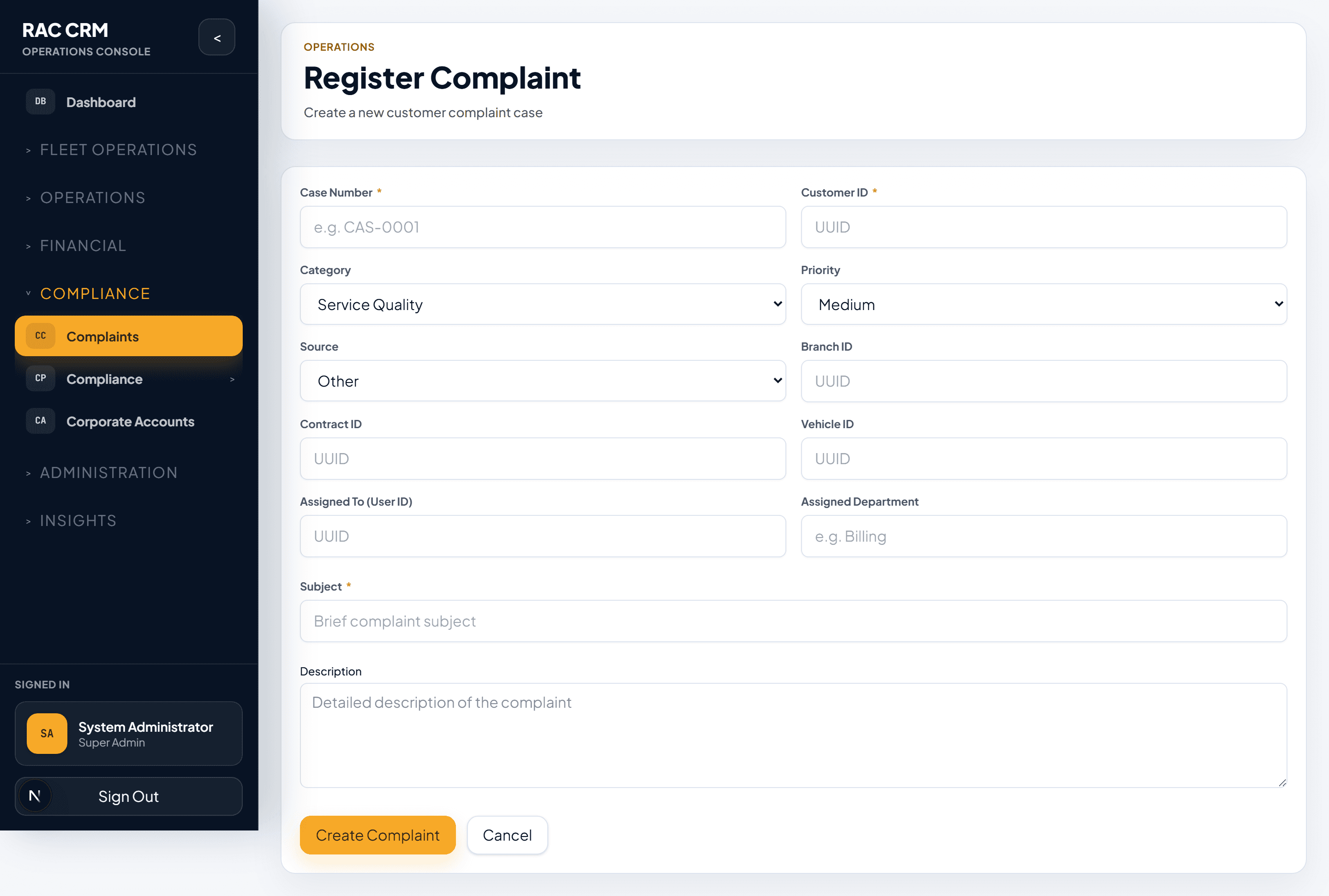
Required Fields at Creation
| Field | Required | Notes |
|---|---|---|
| Customer name and contact | Yes | Auto-populated if customer exists in system |
| Category | Yes | Billing, Vehicle, Service, Safety, Other |
| Subcategory | Yes | Depends on category (see below) |
| Description | Yes | Minimum 20 characters |
| Related reservation/contract | No | Links complaint to specific booking |
| Related vehicle | No | Links complaint to specific vehicle |
| Attachments | No | Photos, documents, screenshots |
| Priority | Auto-assigned | Based on category and severity rules |
Category and Subcategory Matrix
| Category | Subcategories |
|---|---|
| Billing | Overcharge, refund delay, incorrect invoice, payment failure, deposit not returned |
| Vehicle | Breakdown, cleanliness, damage not at checkout, feature not working, wrong vehicle |
| Service | Staff behavior, long wait time, rude communication, unfulfilled promise |
| Safety | Accident, mechanical failure, insurance dispute, missing safety equipment |
| Other | General feedback, suggestion, unresolved previous complaint |
Complaint Assignment
Assignment Rules
| Rule | Detail |
|---|---|
| Auto-assignment | System assigns based on category → department mapping |
| Manual override | Branch manager can reassign at any time |
| Reassignment | Any assignment change is logged with reason |
| Ownership history | Every assignment change creates an ownership history record |
Department Mapping
| Category | Default Department |
|---|---|
| Billing | Finance / Billing Team |
| Vehicle | Fleet / Operations |
| Service | Customer Service |
| Safety | Compliance + Operations Director |
| Other | Customer Service |
Complaint Transfer
To transfer a complaint to another department:
- Open the complaint.
- Click Transfer.
- Select the target department.
- Enter a transfer reason (required).
- The complaint status changes to
waiting_internal_department. - The target department receives a notification.
Rule: A complaint can be transferred a maximum of 3 times. After that, it must be escalated to management.
Escalation
Automatic Escalation
The system automatically escalates complaints when:
| Condition | Action |
|---|---|
| SLA warning breached (24 hours) | Status changes to escalated, branch manager notified |
| SLA breach (48 hours) | Status changes to escalated, operations director notified |
| Customer requests escalation | Status changes to escalated |
| Complaint involves safety | Immediate escalation to compliance officer |
Manual Escalation
Branch staff can manually escalate by:
- Opening the complaint.
- Clicking Escalate.
- Selecting an escalation level (Team Lead, Branch Manager, Operations Director).
- Entering a reason.
Legal Escalation
When a complaint involves legal risk — such as personal injury, property damage claims, fraud allegations, or regulatory violations — it must be escalated to the Legal module.
Legal Escalation Triggers
| Trigger | Example |
|---|---|
| Personal injury claim | Customer or third party injured in rental vehicle |
| Property damage claim | Damage to third-party property |
| Fraud allegation | Stolen identity, fake documents |
| Regulatory complaint | Government agency, police report |
| Insurance dispute | Claim denied, coverage disagreement |
| Customer threatens legal action | Explicit mention of lawyer or lawsuit |
Legal Escalation Process
- Staff identifies legal trigger during complaint handling.
- Staff clicks Escalate to Legal.
- System prompts for escalation summary and supporting documents.
- Complaint status changes to
legally_escalated. - Record lock is applied — the complaint can no longer be edited by branch staff.
- Legal team receives notification and opens a Legal Case linked to this complaint.
- All further communication on this complaint goes through the Legal module.
Critical: Once a complaint is legally escalated, branch staff cannot modify, resolve, or close it. Only the Legal team has write access.
Resolution and Closure
Resolution
- Assigned staff clicks Resolve.
- Enters the resolution description (required).
- Selects resolution type:
- Full refund
- Partial refund
- Credit note
- Apology only
- Vehicle replacement
- Service recovery (complimentary upgrade, etc.)
- No action required
- Customer is notified of the resolution.
- Customer has 72 hours to accept or dispute.
Closure
If the customer accepts (or does not respond within 72 hours):
- Complaint status changes to
closed. - Customer satisfaction survey is sent.
- Final audit log entry is created.
- Complaint data is retained per data retention policy.
If the customer disputes:
- Complaint status reverts to
in_progress. - Re-investigation begins.
- Maximum 2 dispute cycles allowed — after that, escalate to management.
Notes and Attachments
| Feature | Detail |
|---|---|
| Internal notes | Staff-only comments, not visible to customer |
| Customer-facing notes | Shared with customer via portal |
| Attachments | Photos, documents, audio recordings — max 10MB per file |
| Maximum attachments | 20 per complaint |
| File types | JPG, PNG, PDF, DOCX, MP3, MP4 |
| Immutability | Uploaded files cannot be deleted, only archived |
SLA Tracking
| SLA Level | Warning | Breach | Escalation Target |
|---|---|---|---|
| Standard complaint | 24 hours | 48 hours | Branch Manager |
| Billing complaint | 12 hours | 24 hours | Finance Lead |
| Safety complaint | 4 hours | 8 hours | Compliance Officer |
| VIP customer complaint | 8 hours | 16 hours | Operations Director |
| Repeat customer (3+ complaints) | 8 hours | 16 hours | Branch Manager |
Ownership History
Every complaint maintains a complete ownership history:
| Field | Captured |
|---|---|
| Staff member | Who held the complaint |
| Department | Which department |
| From / To timestamps | When ownership started and ended |
| Reason | Why the transfer occurred |
| Action taken | What was done during that ownership period |
This history is immutable and available for audit, quality review, and legal proceedings.
Callouts
Legal escalation locks the complaint record. This is a hard rule — no exceptions. The Legal team must manage legally escalated complaints through the Legal module.
Complaint data retention: All complaint records, including notes, attachments, and ownership history, are retained for 7 years from the date of closure, regardless of customer account status.