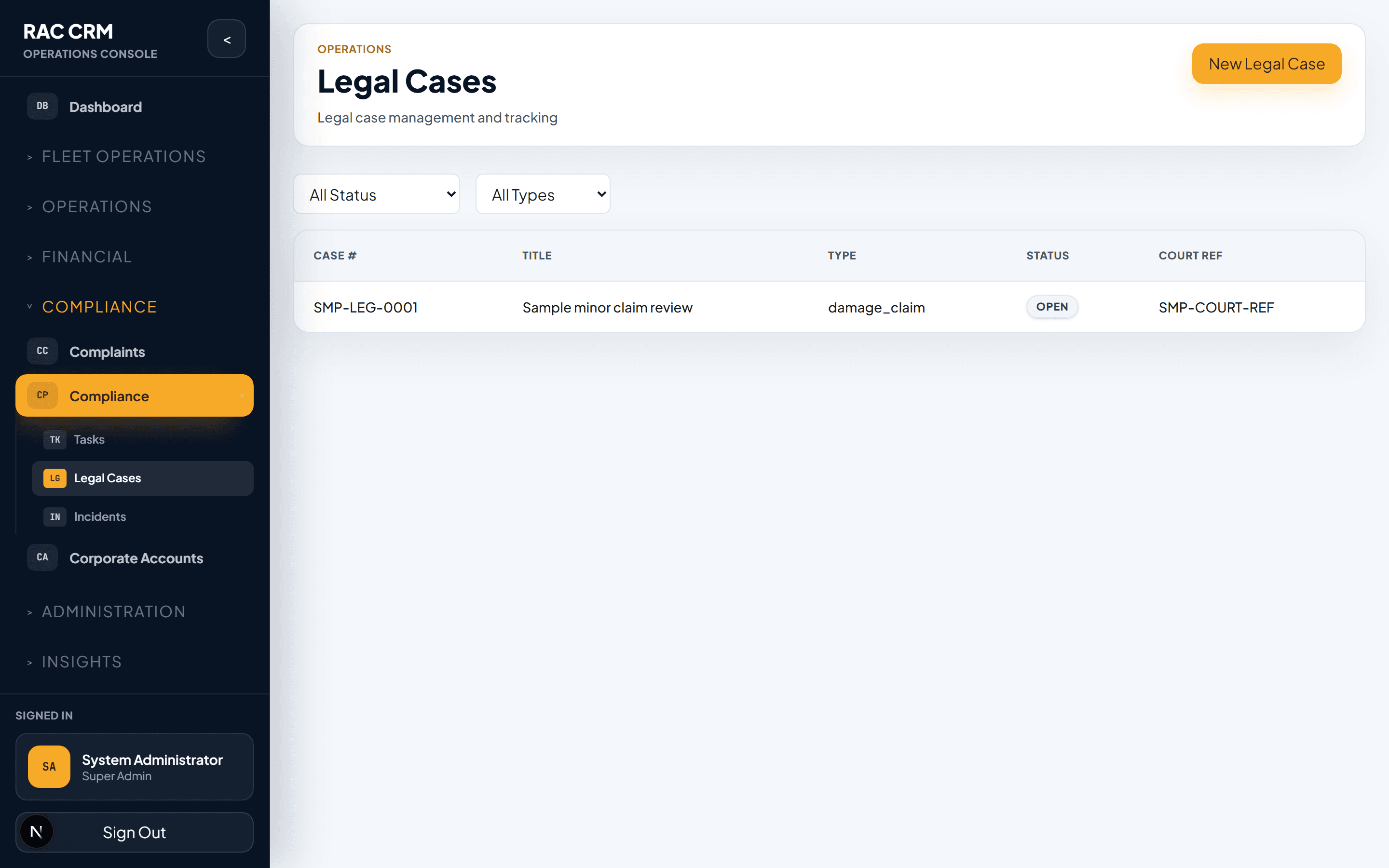
Legal Cases
Managing legal cases from incident logging through court tracking and financial settlement, linked to escalated complaints.
Overview
Legal cases are formal proceedings that arise from escalated complaints, accidents, insurance disputes, or regulatory actions. The Legal module provides structured case management with a clear lifecycle, court tracking, financial resolution tools, and full integration with the complaint system. Legal cases have strict access controls — only Legal team members and authorized management can view or modify them.
Case Lifecycle
Every legal case follows a structured lifecycle. Status transitions are controlled and logged.
| Status | Meaning | Who Transitions |
|---|---|---|
legal_review | Case received from complaint escalation, under initial review | Legal team |
notice_sent | Formal notice or demand letter sent to relevant party | Legal team |
court_case_opened | Case filed in court or arbitration body | Legal team |
settlement_in_progress | Settlement negotiations or mediation underway | Legal team |
closed | Case resolved — settled, ruled, or withdrawn | Legal team |
Additional Sub-Statuses
| Sub-Status | Parent Status | Meaning |
|---|---|---|
pending_documentation | legal_review | Awaiting documents from branch or customer |
pending_legal_opinion | legal_review | External legal counsel reviewing |
awaiting_court_date | court_case_opened | Hearing date not yet scheduled |
hearing_scheduled | court_case_opened | Court date confirmed |
offer_submitted | settlement_in_progress | Settlement offer sent to other party |
offer_accepted | settlement_in_progress | Other party accepted terms |
offer_rejected | settlement_in_progress | Other party rejected — may proceed to court |
payment_pending | settlement_in_progress | Settlement agreed, payment not yet received |
closed_settled | closed | Resolved via settlement |
closed_judgment | closed | Resolved via court ruling |
closed_withdrawn | closed | Case withdrawn by plaintiff |
Case Creation
Legal cases are created from:
| Source | How |
|---|---|
| Complaint escalation | Staff escalates complaint to Legal → Legal case auto-created |
| Direct creation | Legal team creates case manually (e.g., external incident) |
| Accident report | Safety complaint auto-triggers legal case creation |
Required Fields at Creation
| Field | Required | Notes |
|---|---|---|
| Case title | Yes | Brief description |
| Source complaint (if any) | Auto-linked | If created from escalation |
| Incident date | Yes | Date of the underlying incident |
| Incident description | Yes | Minimum 50 characters |
| Parties involved | Yes | Customer, third party, staff, etc. |
| Vehicle involved | If applicable | Linked vehicle record |
| Contract/reservation involved | If applicable | Linked booking record |
| Assigned lawyer/legal counsel | Yes | Internal or external |
| Priority | Yes | Critical, High, Medium, Low |
Incident Logging
Every legal case includes an incident log that captures the full chronological record:
| Field | Detail |
|---|---|
| Date and time | When the incident occurred |
| Location | Where the incident occurred |
| Description | Detailed narrative |
| Witnesses | Names and contact details |
| Evidence | Photos, documents, police reports, correspondence |
| Initial assessment | Legal team's preliminary evaluation |
The incident log is immutable once entered — it serves as the foundational record for the case.
Court Tracking
For cases that proceed to court or arbitration:
| Field | Detail |
|---|---|
| Court/tribunal name | Name of the judicial body |
| Case number | Official court case reference |
| Filing date | When the case was filed |
| Hearing dates | Scheduled hearing dates (may be multiple) |
| Judge/arbitrator | Presiding authority |
| Opposing counsel | Other party's legal representative |
| Our counsel | Our appointed lawyer |
| Hearing outcomes | Record of each hearing's result |
| Next action | What needs to happen next |
| Deadline | Next court deadline |
Court Date Management
| Action | Detail |
|---|---|
| Add hearing | Enter date, outcome, next steps |
| Reschedule | Update hearing date with reason |
| Add outcome | Record ruling, order, or direction |
| Set reminder | System alerts legal team 7 days and 1 day before each hearing |
Financial Resolutions
Legal cases often result in financial outcomes. The Legal module tracks all financial aspects:
Types of Financial Resolution
| Type | Description | Direction |
|---|---|---|
settlement_payment_made | Company pays settlement amount | Outflow |
settlement_payment_received | Company receives settlement payment | Inflow |
court_award_made | Company pays court-ordered amount | Outflow |
court_award_received | Company receives court-ordered amount | Inflow |
insurance_claim_filed | Claim submitted to insurance company | Pending inflow |
insurance_claim_settled | Insurance claim resolved | Inflow |
legal_costs_incurred | Legal fees and court costs paid | Outflow |
compensation_issued | Goodwill or compensation payment to customer | Outflow |
Financial Tracking Fields
| Field | Detail |
|---|---|
| Amount | Financial amount in AED |
| Currency | Primary AED, secondary supported |
| Date incurred | When the financial event occurred |
| Date settled | When payment was made or received |
| Reference | Invoice, receipt, or transaction reference |
| Approval | Financial resolutions require approval per authority matrix |
Financial Resolution Workflow
- Legal team enters the financial resolution details.
- System calculates the total financial impact of the case.
- For payments > 1,000 AED, Operations Director approval is required.
- For payments > 10,000 AED, CEO approval is required.
- Once approved, the billing module processes the payment.
- Audit log entry is created with full financial details.
Access Control
Legal cases have restricted access:
| Role | Access Level |
|---|---|
| Legal team members | Full read/write |
| Compliance Officer | Full read, limited write |
| Operations Director | Read-only |
| Branch Manager | Read-only (if case relates to their branch) |
| Customer Service | Read-only (to answer customer queries) |
| All other staff | No access |
Rule: Legal cases cannot be viewed, modified, or deleted by anyone outside the authorized roles. Attempted access is logged.
Linkage to Complaints
| Relationship | Detail |
|---|---|
| One complaint → one legal case | A single escalated complaint creates one legal case |
| One legal case → multiple complaints | Multiple related complaints may be merged into one legal case |
| Complaint lock | When a legal case is created, the linked complaint is locked |
| Communication | All complaint communication stops; case notes replace complaint notes |
| Resolution | Legal case resolution updates the linked complaint status to resolved |
Case Closure
To close a legal case:
-
Legal team selects closure type (settled, judgment, withdrawn).
-
Enters closure summary (required).
-
Uploads final documents (settlement agreement, court order, etc.).
-
Enters final financial outcome.
-
Confirms closure. The system:
- Updates case status to
closed(with appropriate sub-status). - Updates linked complaint status to
resolved. - Creates final audit log entry.
- Archives the case (read-only, immutable).
- Updates case status to
Callouts
Legal cases are strictly access-controlled. Do not attempt to access legal cases without proper authorization. All access attempts are audited.
Legal case data is retained for 10 years from case closure, or longer if required by regulatory or contractual obligations.