Traffic Fines & Salik
Record traffic fines and Salik toll charges, match them to contracts, bill customers, track payments, and reconcile with authorities.
Traffic Fines & Salik
Traffic fines and Salik toll charges are inevitable in a rental fleet. This module provides a complete workflow for recording, matching, billing, and reconciling these charges — ensuring costs are recovered from the correct customer while maintaining accurate financial records.
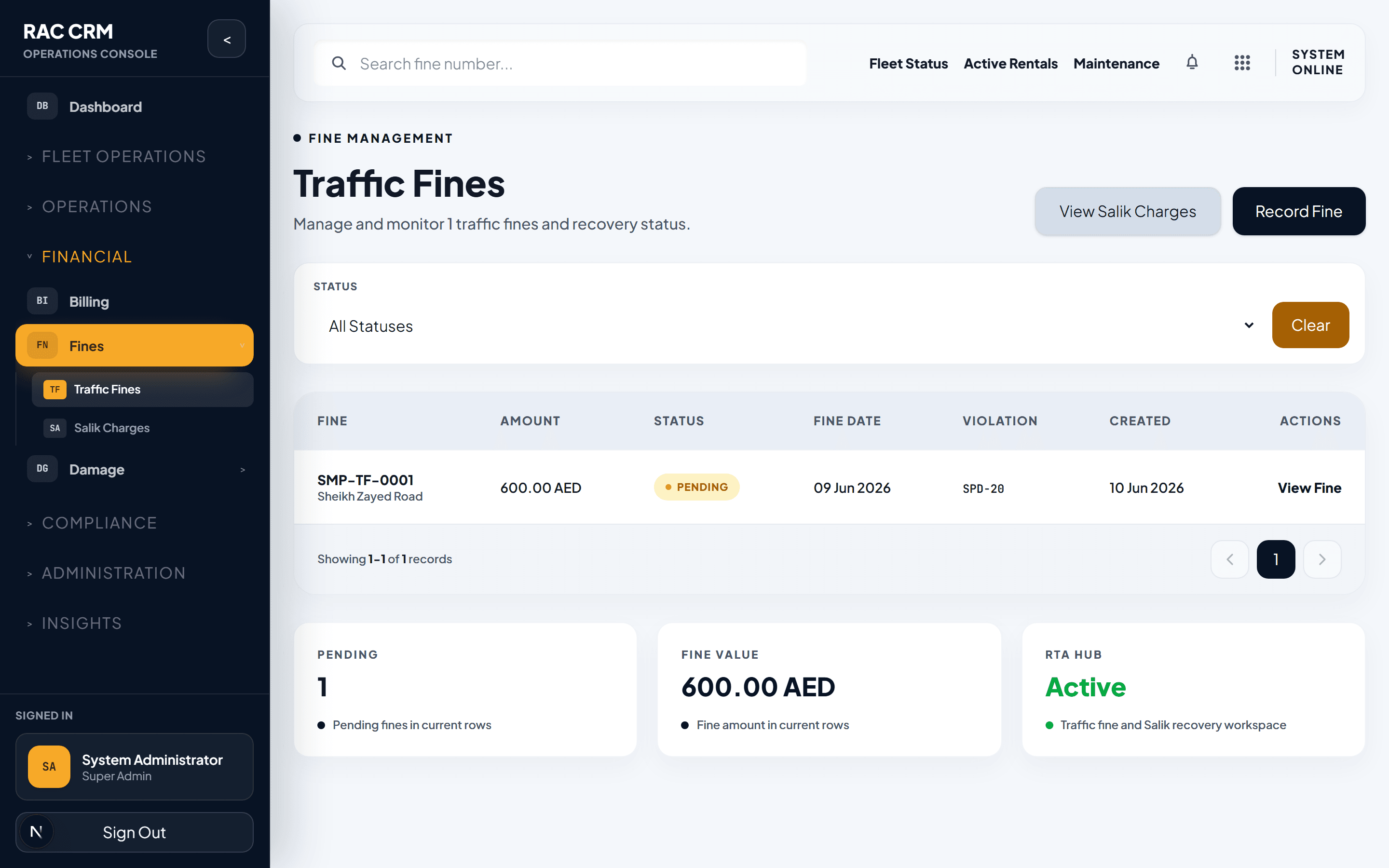
Traffic Fines
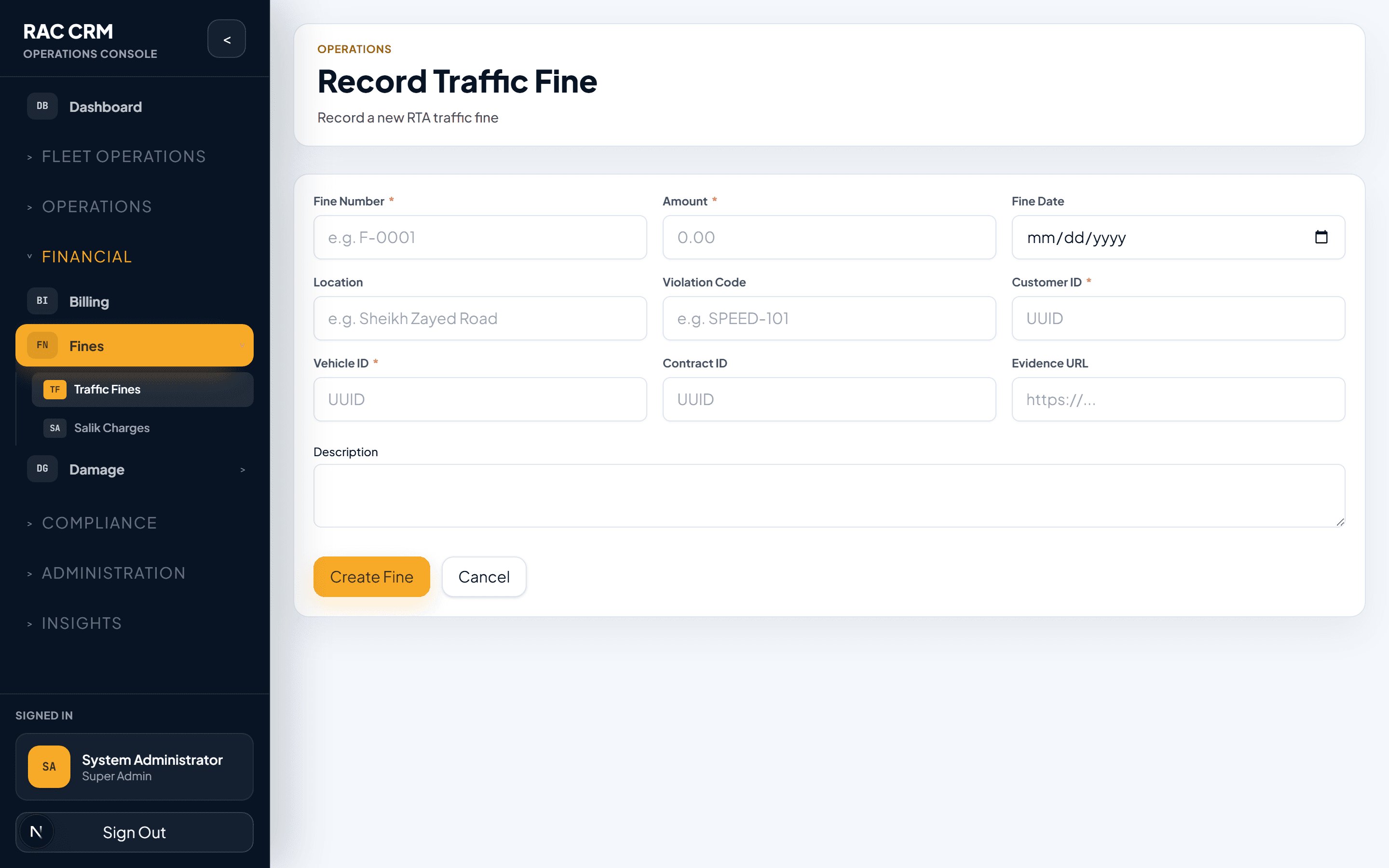
Fine Recording Flow
Traffic fines arrive from multiple sources — police notifications, RTA portal exports, or manual entry. Each fine must be recorded, matched to a contract, and billed to the customer.
Receive fine notification — Fines arrive via RTA portal, email, or manual input.
Create fine record — Navigate to Fines → New Fine. Enter plate number, fine date, location, violation type, and amount.
System matches contract — The system automatically searches for a rental contract active on the fine date matching the vehicle plate number.
Review auto-match — Confirm or override the system's contract match. If the vehicle was not under rental, the fine is marked as unmatched.
Bill to customer — The fine is added as a line item on the customer's invoice. A fine_charged_to_customer accounting event is created.
Track payment — Record when the fine is paid to the authority and when the customer reimburses the amount.
Fine Status Lifecycle
| Status | Meaning | Next Possible Statuses |
|---|---|---|
| Recorded | Fine entered into the system | Matched, Unmatched, Cancelled |
| Matched | Linked to a rental contract | Billed, Disputed, Waived |
| Unmatched | No contract found for the fine date | Matched (manual override), Waived |
| Billed | Added to customer invoice | Paid, Partially Paid |
| Disputed | Customer disputes the fine | Billed (upheld), Waived (overturned) |
| Waived | Fine absorbed by the company | Terminal status |
| Paid | Customer has reimbursed the fine | Terminal status |
| Cancelled | Fine cancelled by authority | Terminal status |
Fine Record Fields
| Field | Required | Description |
|---|---|---|
| Plate Number | Yes | Vehicle plate number (used for auto-matching) |
| Fine Date | Yes | Date the violation occurred |
| Violation Type | Yes | Speeding, illegal parking, red light, etc. |
| Location | Yes | Where the violation occurred |
| Amount | Yes | Fine amount in AED |
| Authority | Yes | Police, RTA, municipality |
| Notification Reference | No | Authority reference number |
| Contract Reference | Auto | Matched contract (if found) |
| Customer Reference | Auto | Customer from matched contract |
| Remarks | No | Notes about the fine |
Salik Toll Charges
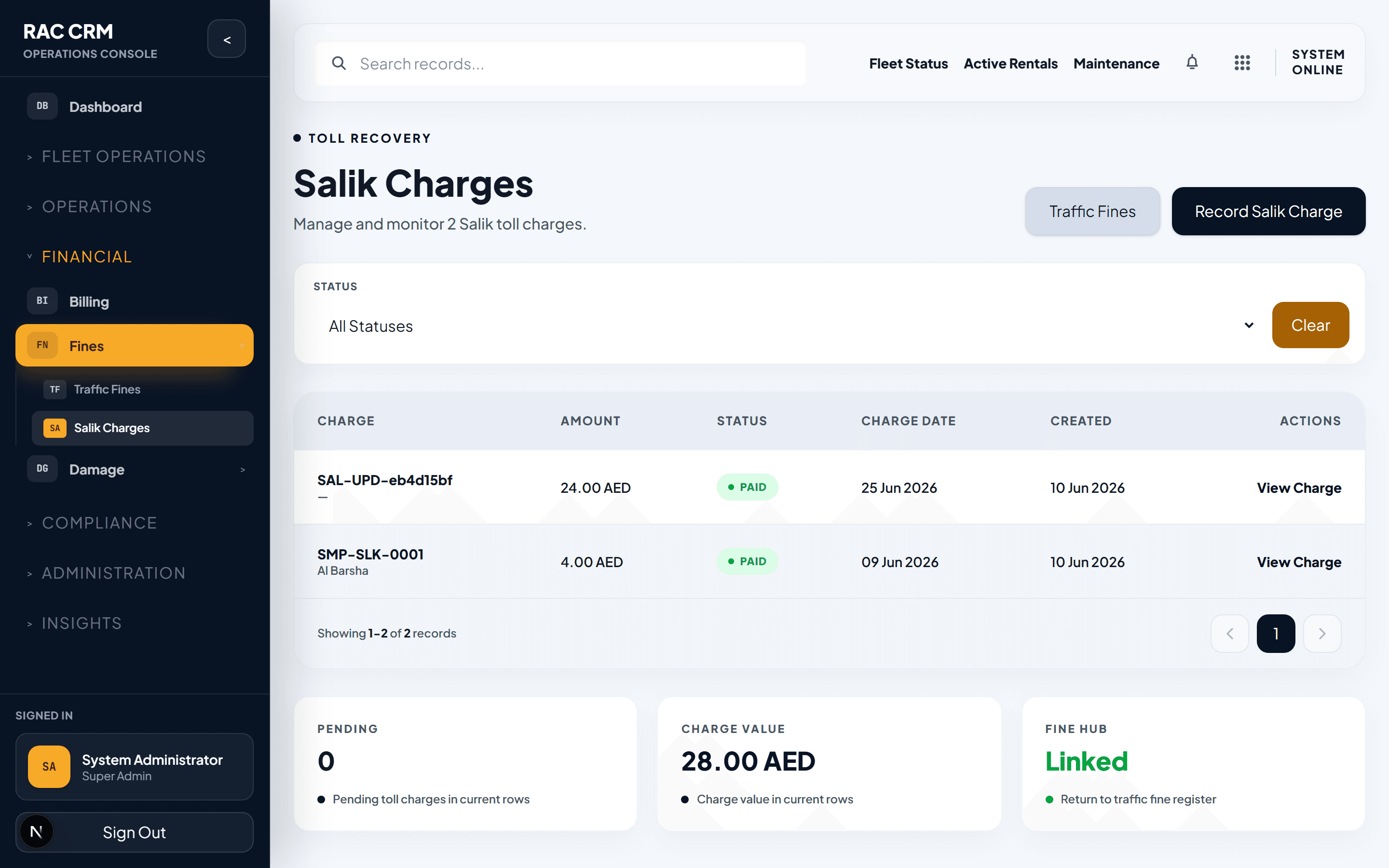
Salik is Dubai's electronic toll collection system. Toll charges accumulate on the vehicle's Salik tag and are billed to the rental customer.
Salik Charge Recording Flow
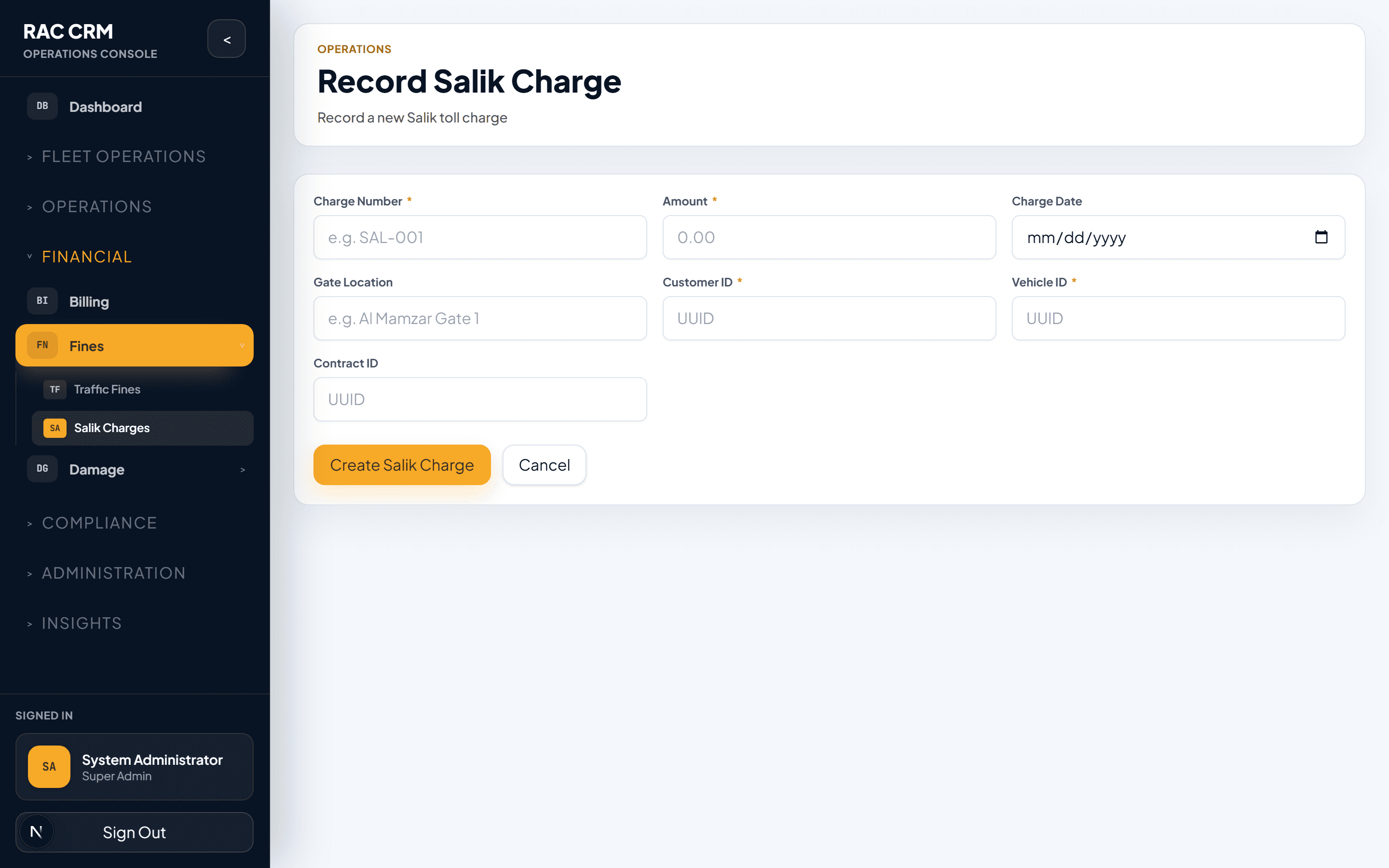
Import Salik data — Upload Salik portal CSV or configure API integration for automatic import.
System matches crossings — Each toll crossing is matched to the vehicle and the active contract on that date.
Group by contract — All Salik crossings for a single contract are grouped into one Salik charge line.
Bill to customer — The total Salik amount is added as a line item on the customer's invoice.
Create accounting event — A salik_charged_to_customer event is generated.
Salik Import Fields
| Field | Source | Description |
|---|---|---|
| Tag Number | Salik portal | Vehicle's Salik tag number |
| Crossing Date/Time | Salik portal | When the toll was crossed |
| Toll Gate | Salik portal | Which Salik gate (e.g., Al Maktoum Bridge) |
| Amount | Salik portal | Toll amount (currently AED 4 per crossing) |
| Plate Number | System (matched via tag) | Vehicle plate |
| Contract Reference | System (matched via date) | Active contract at crossing time |
Matching Rules
The system uses the following logic to match fines and Salik crossings to contracts:
Priority Order
- Exact plate + exact date match — High confidence auto-match
- Exact plate + date range match — The contract start/end dates overlap the fine date
- Fuzzy plate match — Partial plate number match (requires manual confirmation)
- No match — The system flags the record as
unmatchedfor manual review
Matching Considerations
| Scenario | System Behavior |
|---|---|
| Vehicle under rental on fine date | Auto-match to active contract |
| Vehicle in maintenance on fine date | Flag as unmatched, route to fleet team |
| Vehicle between contracts (same day return/checkout) | Match to the contract that ended latest |
| Multiple contracts on same plate (rare) | Show all candidates, require manual selection |
| Fine predates rental period | Flag as unmatched, likely company liability |
Always verify auto-matched fines before billing. An incorrect match means the wrong customer is charged, which can lead to disputes and reputational damage.
Billing to Customer
Once a fine or Salik charge is matched and confirmed, it is billed as a line item on the customer's invoice.
Billing Rules
| Rule | Description |
|---|---|
| Automatic invoice addition | Matched fines/Salik are automatically added to the open invoice for the contract |
| Separate line items | Each fine is a separate line item with its own description and reference |
| VAT handling | Admin fees on fines may attract VAT depending on tenant configuration |
| Admin fee | A configurable admin fee (e.g., AED 25–50) may be added per fine to cover processing costs |
| Deposit offset | If the customer has a security deposit, the fine amount can be deducted from it |
Payment Tracking
The system tracks two payment flows for fines:
1. Company Pays Authority
The rental company pays the fine to the traffic authority on behalf of the customer.
| Field | Description |
|---|---|
| Payment Date | Date the company paid the authority |
| Payment Reference | Authority receipt or transaction ID |
| Payment Amount | Amount paid to authority |
| Payment Method | Online, counter, auto-debit |
2. Customer Reimburses Company
The customer reimburses the company for the fine plus any admin fee.
| Field | Description |
|---|---|
| Reimbursement Date | Date customer paid |
| Invoice Reference | Invoice number the charge is on |
| Payment Method | How the customer paid |
| Amount Collected | Total collected from customer |
Reconciliation
Regular reconciliation ensures all fines and Salik charges are properly accounted for.
Reconciliation Checklist
| Check | Frequency | Resolution |
|---|---|---|
| All imported Salik crossings matched to contracts | Daily | Investigate unmatched crossings |
| All matched fines billed to customers | Weekly | Create invoices for unbilled fines |
| All billed fines collected or in dispute | Weekly | Follow up on unpaid fines |
| Company authority payments match system records | Monthly | Reconcile with RTA/authority statements |
| Admin fee revenue recognized correctly | Monthly | Verify accounting entries |
| Unmatched fines aging report | Monthly | Decide: absorb,追收, or write off |
Navigate to Fines → Reconciliation to view unmatched fines, unbilled charges, and aging reports. Export reconciliation reports to Excel for external review.
Common Tasks
| Task | Where | Permission Required |
|---|---|---|
| Record a traffic fine | Fines → New Fine | fines:create |
| Import Salik data | Fines → Salik → Import | fines:import |
| Match fine to contract | Fine detail → Match | fines:match |
| Bill fine to customer | Fine detail → Bill | fines:bill |
| Waive a fine | Fine detail → Waive | fines:waive |
| Record authority payment | Fine detail → Record Payment | fines:record_payment |
| View reconciliation report | Fines → Reconciliation | fines:reconcile |
| Export fine data | Fines → Export | fines:export |
Related Pages
- Invoicing & Billing — How fine line items appear on invoices
- Accounting Subledger — Fine and Salik accounting events
- Fleet & Vehicles — Vehicle and tag management
Accounting Subledger
Understand the RAC accounting subledger, including events, balanced entries, COA mappings, summary journal posting, subledgers, reconciliation, credit notes, and payment allocations.
Damage Charges
Create damage assessments, determine severity and liability, generate charges, handle disputes, and integrate with billing.